Mobile Locker JavaScript SDK
    Preparing search index...

    Mobile Locker JavaScript SDK

    Mobile Locker JavaScript SDK

    The official JavaScript SDK for building interactive presentations and custom features on the Mobile Locker platform.

    This SDK gives IVA developers programmatic access to the Mobile Locker platform from within a presentation — including user data, CRM records, analytics, device capabilities, storage, and more.

    The SDK works in two environments:

    Environment Description
    iOS/iPadOS Running inside the Mobile Locker iOS app (isIOS() === true)
    Electron Running inside the Mobile Locker Windows app (isElectron() === true)
    CDN Loaded as part of a CDN-hosted presentation (isCDN() === true)

    When running outside of either environment (e.g. local development), most SDK calls are silently no-ops or return sensible local fallbacks. No errors are thrown — so you can develop locally without a live Mobile Locker context.


    npm install @mobilelocker/javascript-sdk
    # or
    yarn add @mobilelocker/javascript-sdk

    The SDK initializes automatically — there is no init() call required. It reads authentication and configuration from the ?jwt= query parameter that Mobile Locker injects into every presentation URL at runtime.

    import mobilelocker from '@mobilelocker/javascript-sdk'

    // The SDK is ready to use immediately after import
    const user = await mobilelocker.user.get()
    console.log(`Hello, ${user.name}`)

    Use these helpers to branch behavior based on where your code is running:

    import mobilelocker from '@mobilelocker/javascript-sdk'

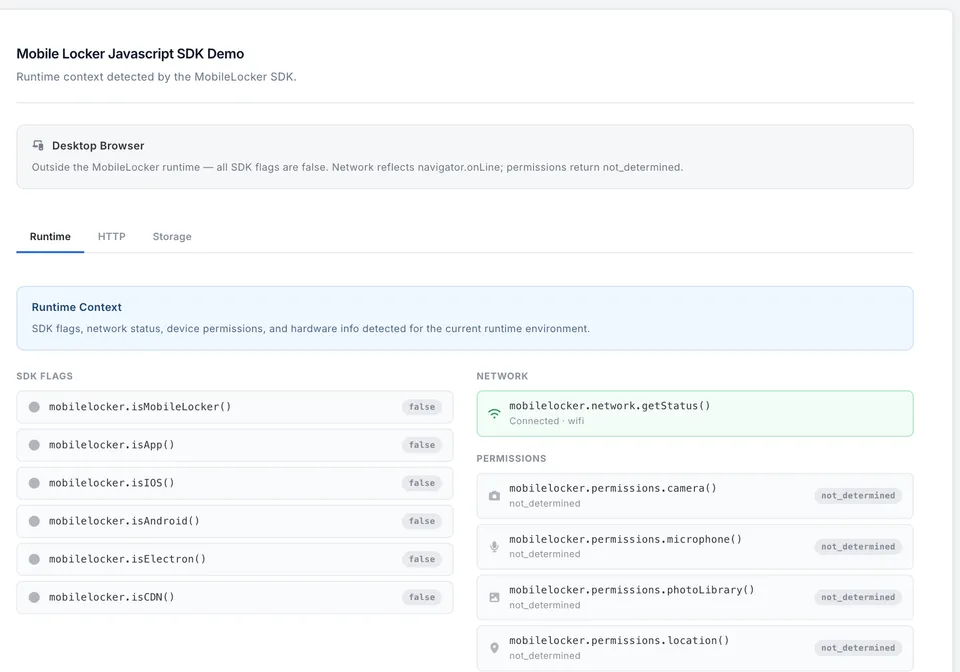
    mobilelocker.isMobileLocker() // true in any app or CDN context
    mobilelocker.isApp() // true in the iOS app or Electron (Windows) app
    mobilelocker.isIOS() // true specifically in the iOS or iPadOS app
    mobilelocker.isElectron() // true in the Electron (Windows) app
    mobilelocker.isCDN() // true when served from a CDN presentation URL

    The SDK is organized into domains. All methods are async unless noted.

    Track custom events within a presentation.

    mobilelocker.analytics.logEvent(category, action, uri, data)
    mobilelocker.analytics.trackPageView(uri)

    Access lead retrieval events and attendees (badge/card scanning).

    const events = await mobilelocker.congresses.list()
    const attendees = await mobilelocker.congresses.getAttendees(eventID)
    const businessCards = await mobilelocker.congresses.getBusinessCards(eventID)
    await mobilelocker.congresses.submitLead(eventID, attendeeID, data)

    Read the current user's contacts.

    const contacts = await mobilelocker.contacts.getAll()
    const chunk = await mobilelocker.contacts.getChunked(minID, limit)

    Interact with the connected CRM (Salesforce, etc.).

    const accounts = await mobilelocker.crm.getAccounts()
    await mobilelocker.crm.refresh('incremental') // or 'full'
    const results = await mobilelocker.crm.query('SELECT Id, Name FROM Account')

    Submit form/data capture events.

    // Synchronous
    mobilelocker.data.submitForm('lead-form', {firstName: 'Jane', email: 'jane@example.com'})

    Query SQLite databases bundled with the current presentation.

    const databases = await mobilelocker.database.list()
    // → ['products.sqlite', 'search/fts.db']

    const result = await mobilelocker.database.query(
    'products.sqlite',
    'SELECT * FROM products WHERE category = ?',
    ['widgets'],
    )
    // result.rows — array of row objects
    // result.rows_affected — integer (always 0 for SELECT)
    // result.last_insert_row_id — null for SELECT

    Named parameters are also supported:

    const result = await mobilelocker.database.query(
    'products.sqlite',
    'SELECT * FROM products WHERE category = :category AND approved = :approved',
    { category: 'oncology', approved: 1 },
    )

    Inspect a table's shape (useful during development):

    const description = await mobilelocker.database.describe('products.sqlite', 'products')
    // description.name — 'products'
    // description.sql — 'CREATE TABLE products (id INTEGER PRIMARY KEY, ...)'
    // description.columns — array of column info objects:
    // { cid, name, type, not_null, default_value, primary_key }

    Read device and app metadata (iOS app only).

    const info = await mobilelocker.device.getInfo()
    // info.app.version, info.os.name, info.hardware.model, info.orientation, etc.

    Make cross-origin HTTP requests. In the iOS app, requests are proxied through the native layer to avoid CORS restrictions.

    const response = await mobilelocker.http.get('https://api.example.com/data')
    const response = await mobilelocker.http.post('https://api.example.com/submit', {body: payload})
    // response.status, response.data, response.headers

    Structured logging with levels, filtering, and SDK log access.

    // Enable/disable debug mode (synchronous)
    mobilelocker.log.setMode(true)
    mobilelocker.log.isEnabled() // → boolean

    // Write log entries from your presentation code (synchronous)
    mobilelocker.log.debug('Fetching products', { category: 'oncology' })
    mobilelocker.log.info('Query returned 42 rows')
    mobilelocker.log.warn('Result set large — consider paginating')
    mobilelocker.log.error('Query failed', { error: err.message })

    // Read SDK log entries (async)
    const logs = await mobilelocker.log.getSdkLogs({ level: 'error', domain: 'crm' })
    const results = await mobilelocker.log.searchSdkLogs('timeout', { domain: 'database' })

    // Session mode (synchronous)
    mobilelocker.log.liveMode() // activate live session recording
    mobilelocker.log.practiceMode() // deactivate (practice mode)

    // Manage log entries (async)
    await mobilelocker.log.deleteSdkLog(id)
    await mobilelocker.log.clearSdkLogs()

    Check connectivity status.

    const status = await mobilelocker.network.getStatus()
    // status.connected — boolean
    // status.type — 'wifi' | 'cellular' | 'wired' | 'none'

    Access the current presentation and trigger lifecycle actions.

    const presentation = await mobilelocker.presentation.get()
    await mobilelocker.presentation.download(presentationID) // returns DownloadStatus
    mobilelocker.presentation.reload()

    Trigger the device camera scanner (iOS app only).

    const result = await mobilelocker.scanner.scanBusinessCard(eventID)
    const result = await mobilelocker.scanner.scanBadge(eventID)
    // result.status — 'success' | 'cancelled' | 'failed'
    // result.attendee or result.businessCard on success

    Search across presentations, customers, contacts, attendees, and business cards.

    const results = await mobilelocker.search.query('Acme', {
    types: ['customers', 'presentations'],
    limit: 10,
    })
    // results.customers.results, results.presentations.results, etc.

    Read events recorded during the current session.

    const events = await mobilelocker.session.getDeviceEvents()
    

    Share a presentation or send email.

    // Synchronous
    mobilelocker.share.presentation(
    [{email: 'jane@example.com', name: 'Jane'}],
    mobilelocker.notificationLevels.NOTIFY_FIRST,
    )

    mobilelocker.share.email(
    {name: 'Jane', email: 'jane@example.com'},
    'Thanks for stopping by',
    'It was great to meet you.',
    )

    Persist arbitrary data tied to the current presentation/user context.

    await mobilelocker.storage.set('scan-results', {leads: [...]})
    const entry = await mobilelocker.storage.get('scan-results')
    const entries = await mobilelocker.storage.getAll({name: 'scan-results'})
    await mobilelocker.storage.delete('scan-results')

    Control the presentation UI (iOS app only where noted).

    mobilelocker.ui.openPDF('/files/brochure.pdf', 'Product Brochure')

    const result = await mobilelocker.ui.openVideo('/files/demo.mp4', {
    autoplay: true,
    showControls: true,
    })
    // result.status — 'completed' | 'dismissed' | 'failed'

    mobilelocker.ui.showToolbar() // iOS app only
    mobilelocker.ui.hideToolbar() // iOS app only

    Get the currently authenticated user.

    const user = await mobilelocker.user.get()
    // user.id, user.name, user.email, user.current_team_id

    Used with share.presentation():

    mobilelocker.notificationLevels.NOTIFY_NONE     // 0 — no notifications
    mobilelocker.notificationLevels.NOTIFY_FIRST // 1 — notify on first open only
    mobilelocker.notificationLevels.NOTIFY_EVERY // 2 — notify on every open
    mobilelocker.notificationLevels.NOTIFY_WEEKLY // 3 — weekly digest
    mobilelocker.notificationLevels.NOTIFY_MONTHLY // 4 — monthly digest

    All SDK methods throw typed errors. Import the error classes to handle them specifically:

    import mobilelocker, {
    MobileLockerError,
    MobileLockerCRMError,
    MobileLockerDatabaseError,
    MobileLockerHTTPError,
    MobileLockerHttpResponseError,
    GeneralErrorCode,
    CRMErrorCode,
    DatabaseErrorCode,
    } from '@mobilelocker/javascript-sdk'

    try {
    const accounts = await mobilelocker.crm.getAccounts()
    } catch (err) {
    if (err instanceof MobileLockerCRMError) {
    if (err.code === CRMErrorCode.AuthExpired) {
    // prompt re-authentication
    }
    }
    }
    Class Code constants
    MobileLockerError GeneralErrorCode.NotConnected, ServerError, RequestTimeout
    MobileLockerCRMError CRMErrorCode.NotConnected, AuthExpired, SOQLInvalid, ServerError
    MobileLockerDatabaseError DatabaseErrorCode.NotReady, InvalidPath, WriteNotPermitted, QueryFailed
    MobileLockerHTTPError HTTPErrorCode.NotConnected, ServerError
    MobileLockerHttpResponseError .status, .statusText, .headers, .data (non-2xx HTTP responses)

    The SDK ships with full TypeScript definitions. All domain types are exported:

    import type {
    User,
    Presentation,
    Customer,
    Attendee,
    BusinessCard,
    UserContact,
    StorageEntry,
    SearchResults,
    DeviceInfo,
    NetworkStatus,
    ScanResult,
    HTTPResponse,
    VideoResult,
    } from '@mobilelocker/javascript-sdk'

    src/
    domains/ — one file per SDK domain (analytics, crm, database, …)
    types/ — entity types mirroring GRDB model toJSON() output
    errors.tserror classes and error code constants
    index.tscomposes the mobilelocker object and re-exports everything

    src/types/ — entity shapes that directly mirror a GRDB model's toJSON() output: Presentation, Customer, Attendee, User, etc. These are the data objects returned by the iOS app. A type belongs here if it represents a row from the database and could appear across multiple domains.

    src/domains/<domain>.ts — parameter types, filter types, response envelopes, and status unions that are specific to a single domain's API surface: SearchOptions, SearchResults, StorageFilter, ScanStatus, DownloadStatus, etc. Keep these co-located with the functions that use them.

    src/types/database.ts is the one exception — DatabaseQueryResult, DatabaseColumnInfo, and DatabaseTableDescription are domain-specific but live in types/ because there are three related types that would clutter the database domain file.

    All JSON keys use snake_case — consistent with the Laravel/Spatie backend that seeds the iOS database and with the GRDB model toJSON() methods that produce the wire format.

    When a GRDB model in mobilelocker-ios gains or loses a field in its toJSON(), update the corresponding type in src/types/ in the same change.


    ISC © Mobile Locker